
185 lines
10 KiB
Markdown
185 lines
10 KiB
Markdown
# BookLore
|
||

|
||

|
||

|
||

|
||
|
||
BookLore is a self-hosted web app for organizing and managing your personal book collection. It provides an intuitive interface to browse, read, and track your progress across PDFs and eBooks. With robust metadata management, multi-user support, and a sleek, modern UI, BookLore makes it easy to build and explore your personal library.
|
||
|
||

|
||
|
||
## ✨ Key Features
|
||
|
||
- 📚 **Organized Book Management** - Categorize books with **Libraries** and **Shelves** for easy discovery and structured organization.
|
||
- 🧠 **Smart Metadata Handling** - Automatically fetch book details from **Goodreads**, **Amazon**, and **Google Books**, or edit them manually with fine-grained control.
|
||
- 👥 **Multi-User Support** - Admins can create accounts, assign libraries, and manage permissions for metadata edits, uploads, and downloads.
|
||
- 📖 **Built-in PDF & ePub Reader** - A fast, feature-rich reader for PDFs and ePubs, with customizable reading settings and a clean UI.
|
||
- 🌐 **OPDS 1.2 Support** - Browse and download books through the **Open Publication Distribution System** – compatible with many reading apps.
|
||
- 🔐 **Optional OIDC Authentication** - Secure access with **OpenID Connect**, supporting both local JWT authentication and external providers like **Authentik**.
|
||
- 📤 **Multi-Book Uploads** - Upload multiple books at once with metadata auto-detection and file organization.
|
||
- 📧 **Send Books via Email** - Share books directly with others by sending them via email – quick and easy.
|
||
- 🚀 **Continuous Improvements** - Frequent updates with new features, performance enhancements, and UI improvements. BookLore is perfect for self-hosters who want complete control over their digital library. Stay tuned for updates!
|
||
## 🎥 Video Guides & Tutorials
|
||
|
||
For a step-by-step walkthrough, check out the official BookLore video guides on YouTube:
|
||
|
||
📺 [BookLore Tutorials – YouTube](https://www.youtube.com/watch?v=UMrn_fIeFRo&list=PLi0fq0zaM7lqY7dX0R66jQtKW64z4_Tdz)
|
||
|
||
These videos cover deployment, configuration, and feature highlights to help you get started quickly.
|
||
|
||
|
||
## 🐳 Deploy with Docker
|
||
|
||
You can quickly set up and run BookLore using Docker.
|
||
|
||
### 1️⃣ Install Docker & Docker Compose
|
||
|
||
Ensure you have [Docker](https://docs.docker.com/get-docker/) and [Docker Compose](https://docs.docker.com/compose/install/) installed.
|
||
|
||
### 2️⃣ Create docker-compose.yml
|
||
|
||
Create a `docker-compose.yml` file with content:
|
||
|
||
```yaml
|
||
services:
|
||
booklore:
|
||
image: ghcr.io/adityachandelgit/booklore-app:latest
|
||
container_name: booklore
|
||
environment:
|
||
- PUID=1000
|
||
- PGID=1000
|
||
- TZ=Etc/UTC
|
||
- DATABASE_URL=jdbc:mariadb://mariadb:3306/booklore # Only modify this if you're familiar with JDBC and your database setup
|
||
- DATABASE_USERNAME=booklore # Must match MYSQL_USER defined in the mariadb container
|
||
- DATABASE_PASSWORD=your_secure_password # Use a strong password; must match MYSQL_PASSWORD defined in the mariadb container
|
||
depends_on:
|
||
mariadb:
|
||
condition: service_healthy
|
||
ports:
|
||
- "6060:6060"
|
||
volumes:
|
||
- /your/local/path/to/booklore/data:/app/data
|
||
- /your/local/path/to/booklore/books:/books
|
||
restart: unless-stopped
|
||
|
||
mariadb:
|
||
image: lscr.io/linuxserver/mariadb:11.4.5
|
||
container_name: mariadb
|
||
environment:
|
||
- PUID=1000
|
||
- PGID=1000
|
||
- TZ=Etc/UTC
|
||
- MYSQL_ROOT_PASSWORD=super_secure_password # Use a strong password for the database's root user, should be different from MYSQL_PASSWORD
|
||
- MYSQL_DATABASE=booklore
|
||
- MYSQL_USER=booklore # Must match DATABASE_USERNAME defined in the booklore container
|
||
- MYSQL_PASSWORD=your_secure_password # Use a strong password; must match DATABASE_PASSWORD defined in the booklore container
|
||
volumes:
|
||
- /your/local/path/to/mariadb/config:/config
|
||
restart: unless-stopped
|
||
healthcheck:
|
||
test: ["CMD", "mariadb-admin", "ping", "-h", "localhost"]
|
||
interval: 5s
|
||
timeout: 5s
|
||
retries: 10
|
||
```
|
||
Note: You can find the latest BookLore image tag `BOOKLORE_IMAGE_TAG` (e.g. v.0.x.x) from the Releases section:
|
||
📦 [Latest Image Tag – GitHub Releases](https://github.com/adityachandelgit/BookLore/releases)
|
||
|
||
|
||
### 3️⃣ Start the Containers
|
||
|
||
Run the following command to start the services:
|
||
|
||
```ini
|
||
docker compose up -d
|
||
```
|
||
|
||
### 4️⃣ Access BookLore
|
||
|
||
Once the containers are up, access BookLore in your browser at:
|
||
|
||
```ini
|
||
http://localhost:6060
|
||
```
|
||
|
||
## 🔑 OIDC/OAuth2 Authentication
|
||
|
||
> **Note:** This is an experimental feature and may not be fully stable
|
||
|
||
BookLore supports optional OIDC/OAuth2 authentication for secure access. This feature allows you to integrate external authentication providers for a seamless login experience.
|
||
|
||
While the integration has been tested with **Authentik**, it should work with other OIDC providers like **Authelia** as well. The setup allows you to use either JWT-based local authentication or external providers, giving users the flexibility to choose their preferred method.
|
||
|
||
For detailed instructions on setting up OIDC authentication with **Authentik**, refer to the [YouTube guide on configuring OIDC in BookLore](https://www.youtube.com/watch?v=r6Ufh9ldF9M), which provides step-by-step walkthroughs.
|
||
|
||
|
||
## 🔧 Configuration
|
||
|
||
The following environment variables can be configured:
|
||
|
||
| Variable Name | Description | Default Value |
|
||
|------------------------------|-----------------------------------------|---------------------------------------------------------------------|
|
||
| DATABASE_URL | JDBC connection URL | `jdbc:mariadb://${DATABASE_HOST}:${DATABASE_PORT}/${DATABASE_NAME}` |
|
||
| DATABASE_HOST | Database hostname | `mariadb` |
|
||
| DATABASE_PORT | Database port | `3306` |
|
||
| DATABASE_NAME | Database name | `booklore` |
|
||
| DATABASE_USERNAME | Database username for app | `root` |
|
||
| DATABASE_PASSWORD | Database password for app | **required** |
|
||
| REMOTE_AUTH_ENABLED | Enable remote authentication | `false` |
|
||
| REMOTE_AUTH_CREATE_NEW_USERS | Auto-create users from remote auth | `true` |
|
||
| REMOTE_AUTH_HEADER_NAME | HTTP header containing user's name | `Remote-Name` |
|
||
| REMOTE_AUTH_HEADER_USER | HTTP header containing username | `Remote-User` |
|
||
| REMOTE_AUTH_HEADER_EMAIL | HTTP header containing user's email | `Remote-Email` |
|
||
| REMOTE_AUTH_HEADER_GROUPS | HTTP header containing user's groups | `Remote-Groups` |
|
||
| REMOTE_AUTH_ADMIN_GROUP | Group name that grants admin privileges | - |
|
||
| LOG_LEVEL | Log level for the application | `INFO` |
|
||
| ROOT_LOG_LEVEL | If you want to see all Spring logs | `INFO` |
|
||
|
||
### Remote Authentication (Trusted Header SSO, Forward Auth)
|
||
|
||
If you run BookLore behind a reverse proxy with remote authentication (middleware),
|
||
you can enable automatic login by setting `REMOTE_AUTH_ENABLED` to `true`.
|
||
|
||
This allows you to use your existing authentication system (e.g., OAuth, SAML) to log in to BookLore.
|
||
|
||
Example implementations:
|
||
- https://www.authelia.com/integration/trusted-header-sso/introduction/
|
||
- https://caddyserver.com/docs/caddyfile/directives/forward_auth
|
||
- https://doc.traefik.io/traefik/middlewares/http/forwardauth/
|
||
- https://github.com/sevensolutions/traefik-oidc-auth (Traefik OIDC Auth)
|
||
|
||
## 🤝 Community & Support
|
||
|
||
- 🐞 Found a bug? [Open an issue](https://github.com/adityachandelgit/BookLore/issues)
|
||
- ✨ Want to contribute? [Check out CONTRIBUTING.md](https://github.com/adityachandelgit/BookLore/blob/master/CONTRIBUTING.md)
|
||
- 💬 Ask questions or share feedback: [Discussions](https://github.com/adityachandelgit/BookLore/discussions)
|
||
|
||
## 👨💻 Contributors & Developers
|
||
|
||
Thanks to all the amazing people who contribute to Booklore.
|
||
|
||
[](https://github.com/adityachandelgit/BookLore/graphs/contributors)
|
||
|
||
## ⭐ Star History
|
||
|
||
[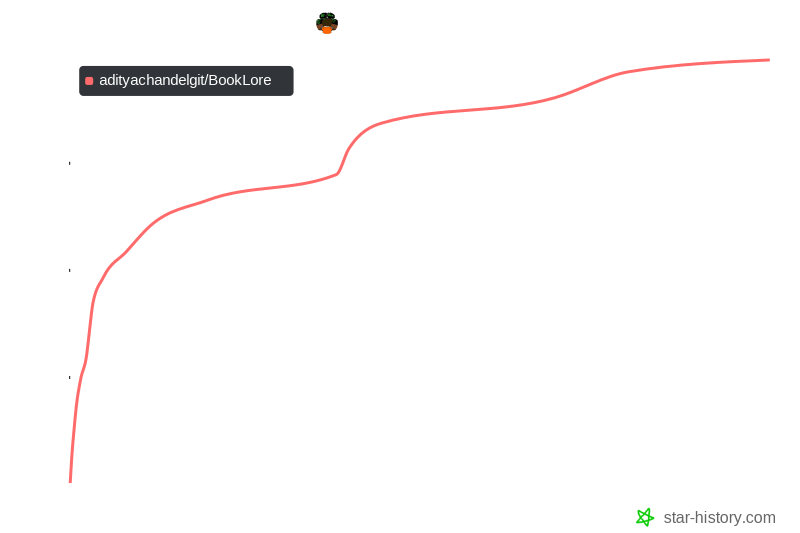](https://star-history.com/#adityachandelgit/BookLore&Date&theme=dark)
|
||
|
||
## 💖 Support the Project
|
||
|
||
If you find BookLore helpful, consider ⭐ starring the repo!
|
||
|
||
## 🧰 Tech Stack
|
||
|
||
<p align="left">
|
||
<img src="https://img.shields.io/badge/Spring%20Boot-6DB33F?style=for-the-badge&logo=springboot&logoColor=white" alt="Spring Boot" style="margin-right: 10px;"/>
|
||
<img src="https://img.shields.io/badge/Angular-DD0031?style=for-the-badge&logo=angular&logoColor=white" alt="Angular" style="margin-right: 10px;"/>
|
||
<img src="https://img.shields.io/badge/MariaDB-003545?style=for-the-badge&logo=mariadb&logoColor=white" alt="MariaDB" style="margin-right: 10px;"/>
|
||
<img src="https://img.shields.io/badge/Docker-2496ED?style=for-the-badge&logo=docker&logoColor=white" alt="Docker" style="margin-right: 10px;"/>
|
||
</p>
|
||
|
||
## ⚖️ License
|
||
|
||
* [GNU GPL v3](http://www.gnu.org/licenses/gpl.html)
|
||
* Copyright 2024-2025
|
||
|